

Getting Started
Guides & Setup Readiness
Use a guide to configure a workflow one step at a time. It checks the selected workspace and stack, then opens the control for the next unfinished requirement.
Choose a guide
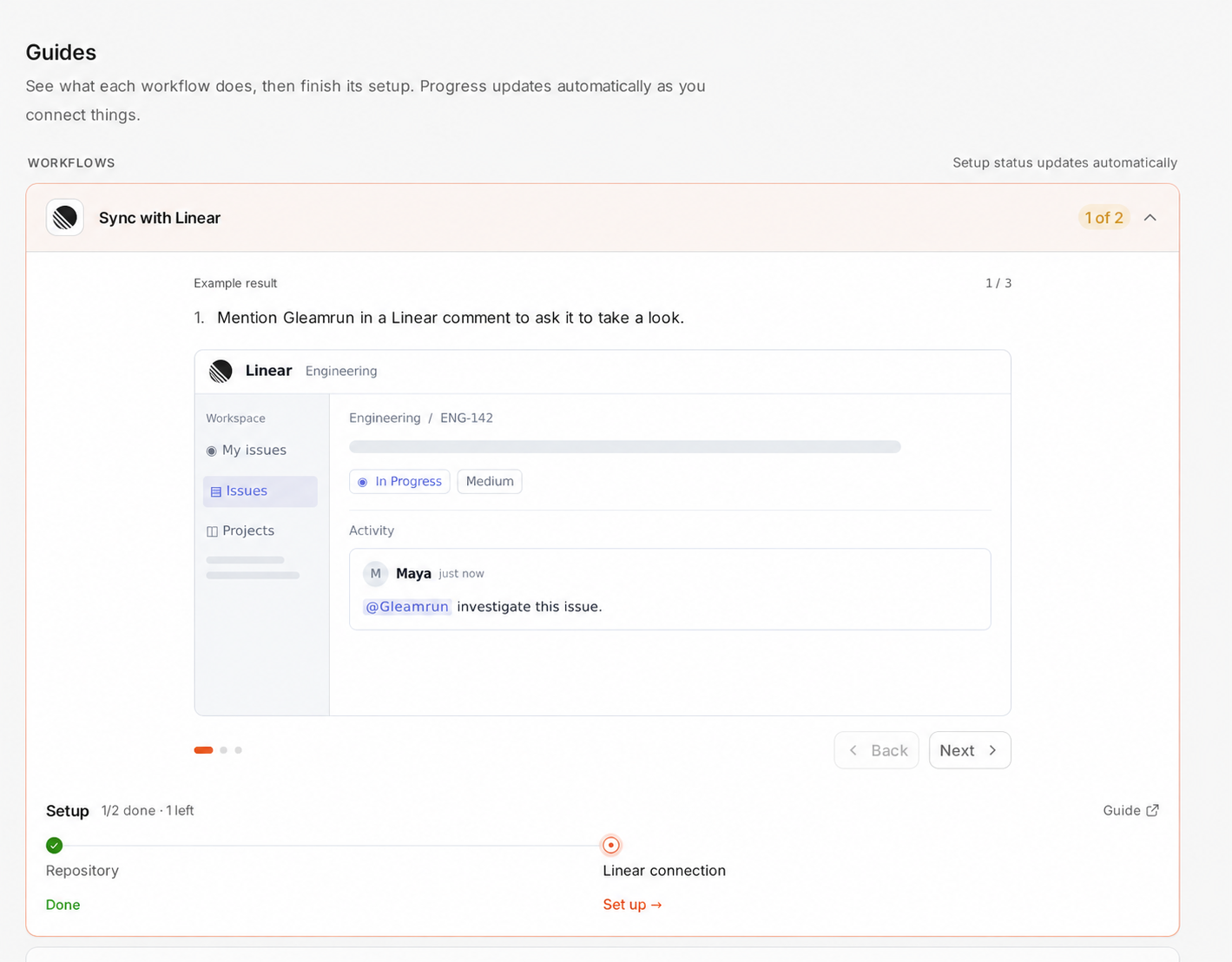
Click your name at the bottom of the sidebar and choose Guides. Choose the outcome you want, such as Slack triage, data analytics, Linear or Jira sync, QA for changes, or Figma-to-code. A guide shows example slides of the finished workflow and a setup rail with what is left to configure. Use Back and Next, or the left and right arrow keys, to move between slides. They do not advance automatically.
Read the requirements
Requirements are checked against the place where the workflow will run:
- Workspace requirements: a connected repository, and Slack, Linear, or Jira connected.
- Stack requirements: an error-tracking, analytics, or Figma MCP connector, a setup command, a live primary sandbox exposing a preview, and a QA automation turned on.
Select the intended stack before judging readiness. A green requirement on one stack does not mean another stack has the same preview, automation, or tool configuration.
Complete a step
- Find an unfinished requirement on the setup rail: its dot is not green. The first one is outlined as the suggested next step.
- Click Set up . Gleamrun opens the page where that setup lives. Some setup pages are for owners and admins only.
- Complete the setup in that product surface.
- Return to the guide. It re-checks each time the page loads or you switch stacks.
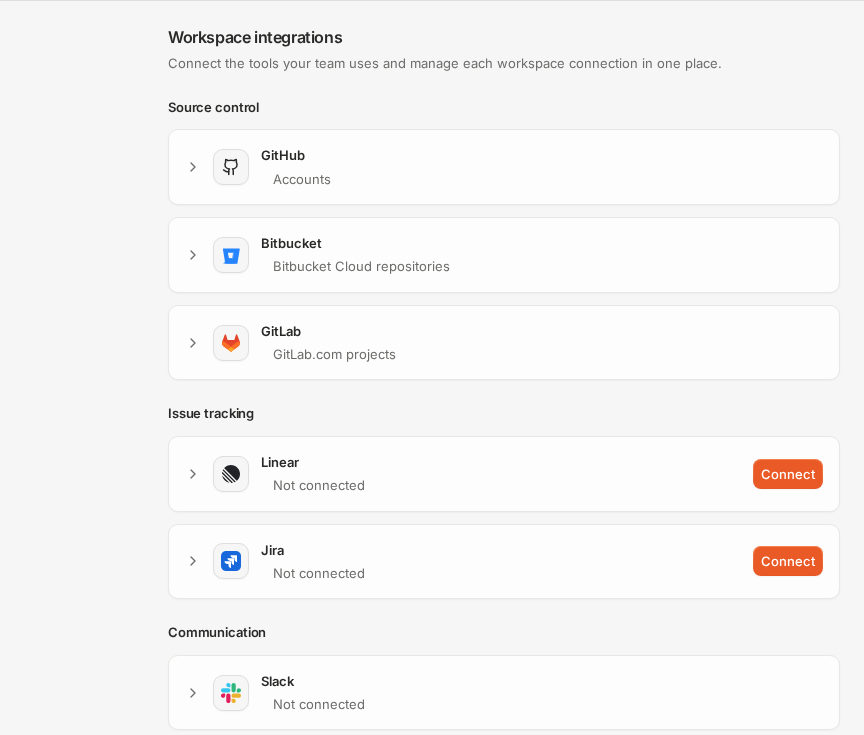
A guide does not keep a separate copy of your settings. It reads the same integration, stack, and workspace state used by tasks and agents.
What ready means
Ready means the detectable prerequisites are present. It does not guarantee that a third-party account still has every permission, that a private channel has invited the app, or that a product workflow is correct for your team. Run a small real example after setup and keep its evidence.
When a check stays incomplete
- Confirm that you configured the workspace and stack currently selected in the guide.
- Reload after an OAuth flow or sandbox restart finishes.
- Ask an owner or admin to complete controls your role cannot change.
- Open the linked documentation for service-specific permissions and troubleshooting.
For a first repository and preview, start with Quick Setup.